

Introduction
The world of work has changed forever. The office is no longer confined to four walls—it’s wherever your laptop and internet connection take you. Remote work is now a norm, not a trend, and it demands more than determination; it requires the right digital tools.
Whether you manage a team spread across continents or collaborate with clients remotely, using the right remote work apps can make all the difference between chaos and clarity. Below are seven game-changing tools that help teams communicate effortlessly, stay organized, and achieve more—together.
1. Slack — Redefining Workplace Communication
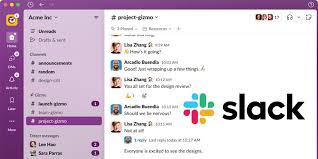
In the digital age, Slack has become the modern office water-cooler. It replaces messy email threads with organized channels, real-time messaging, and instant file sharing. From one-on-one chats to team discussions, Slack keeps your communication flowing seamlessly.
Pro Tip: Create topic-based channels to keep conversations focused, and integrate tools like Google Drive or Trello to make Slack your team’s command center.
2. Trello — Turning Tasks into Visual Stories
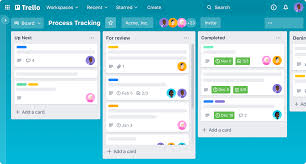
Managing remote projects doesn’t have to be stressful. Trello uses boards, lists, and cards to turn your workflows into visually appealing task maps. You can drag and drop assignments, set due dates, and instantly see who’s responsible for what.
Pro Tip: Color-code your cards by priority level to help your team identify urgent tasks at a glance.
3. Zoom — Bringing Faces Back to Work

Even the best text chat can’t replace seeing your team’s faces. Zoom bridges that gap with crystal-clear video meetings, screen sharing, and breakout rooms. From weekly check-ins to global conferences, it remains one of the most reliable remote work apps for real-time collaboration.
Pro Tip: Keep meetings productive by recording key sessions and sharing recaps for those who can’t attend live.
4. Google Workspace — The Ultimate Collaboration Ecosystem
Few platforms combine simplicity and functionality as elegantly as Google Workspace. With Docs, Sheets, Drive, and Meet, it allows multiple users to collaborate in real time, edit simultaneously, and store files securely in the cloud.
Pro Tip: Encourage your team to use “Suggesting” mode in Google Docs to make editing smoother and feedback more constructive.
5. Asana — Where Structure Meets Simplicity

If you crave organization, Asana is your digital project manager. It helps teams set clear goals, assign responsibilities, and track progress effortlessly. Visual timelines and automated reminders ensure no deadline slips through the cracks.
Pro Tip: Create recurring task templates for repetitive workflows like weekly reports or content scheduling.
6. Notion — The Digital Brain of Modern Teams
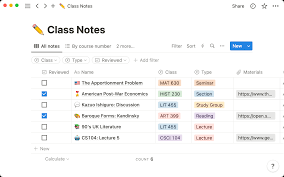
Notion is the creative heartbeat of many remote teams. It combines notes, project tracking, databases, and wikis into one flexible platform. Think of it as your virtual office whiteboard—organized, aesthetic, and incredibly intuitive.
Pro Tip: Build a central Notion dashboard to store company goals, updates, and shared resources for easy access by everyone.
7. Microsoft Teams — Collaboration at Corporate Scale

For enterprises deeply rooted in Microsoft’s ecosystem, Teams is a no-brainer. It integrates chat, video calls, file sharing, and Microsoft 365 apps into one unified space. Its security and scalability make it ideal for large or hybrid teams.
Pro Tip: Use Teams’ integration with Microsoft Planner to assign tasks directly from your chat window for faster workflow alignment.
Final Thoughts
Remote work is no longer an experiment—it’s an evolution. And just like any thriving ecosystem, it depends on the right tools to stay balanced. From communication powerhouses like Slack to all-in-one platforms like Notion, these remote work apps empower teams to stay connected, creative, and accountable—no matter the distance.
Now, let’s hear from you 👇
💬 Which of these apps has transformed your workflow?
💬 Are there others you can’t imagine working without?
Share your thoughts in the comments below—your experience might just inspire another professional to work smarter.
Stay Connected with Ukamart
At Ukamart, we believe technology should simplify life and amplify productivity. Visit ukamart.com or download the Ukamart App to explore tools, gadgets, and solutions that make work—and life—better.
Follow us for more tech insights and updates:



I must say this article is extremely well written, insightful, and packed with valuable knowledge that shows the author’s deep expertise on the subject, and I truly appreciate the time and effort that has gone into creating such high-quality content because it is not only helpful but also inspiring for readers like me who are always looking for trustworthy resources online. Keep up the good work and write more. i am a follower.