





Losing your smartphone can feel like losing a piece of your life. From private chats to banking apps, your phone holds sensitive data. If it gets stolen, your personal and financial security may be at risk.
But don’t panic. In this 2025 survival guide, we walk you through the essential steps to take immediately after your phone is stolen, and how to protect your data, identity, and peace of mind.
1. Lock Your Phone Remotely
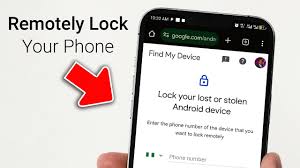
Act fast. As soon as you realize your phone is missing:
- Android Users: Visit Find My Device
- iPhone Users: Visit iCloud’s Find My iPhone
Use these tools to:
- Lock your device
- Display a message with a contact number
- Track the device’s location
- Erase data if needed
Pro Tip: Enable “Find My Device” or “Find My iPhone” before anything happens. Prevention is power!
2. Change Your Passwords Immediately

Your phone likely has saved passwords to:
- Social media (Facebook, Instagram, TikTok, etc.)
- Banking and wallet apps (like Opay, Kuda, or PalmPay)
- Shopping apps (e.g., Jumia, Konga)
Change the passwords for all these accounts right away to stop unauthorized access.
3. Inform Your Mobile Network Provider
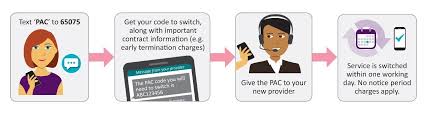
Call your SIM card provider (MTN, Airtel, Glo, 9mobile, etc.) and ask them to:
- Block the stolen SIM
- Issue a replacement SIM
- Flag suspicious calls or data usage
This ensures no one can use your number for fraud or SIM-swap attacks.
4. Report to the Police with IMEI Number
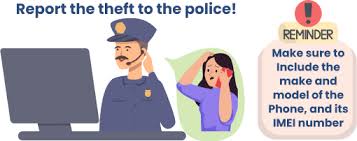
The IMEI number is your phone’s unique ID. Share this with law enforcement when filing a report.
How to get your IMEI number:
- From your phone’s original box
- Or dial
*#06#before it’s ever stolen and save it in a safe place
Having a police report helps in tracking, insurance claims, or proving fraud.
5. Notify Your Bank and Wallet Apps

If you had apps like:
- GTBank, Zenith, First Bank
- Opay, Moniepoint, PalmPay
- Paystack, Flutterwave
Contact them and freeze or secure your accounts. Activate 2FA (Two-Factor Authentication) if you haven’t already.
6. Log Out of All Devices
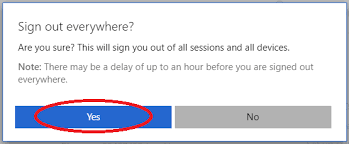
Use a laptop or another device to:
- Log out of your Google/Apple account
- Sign out from apps like WhatsApp, Facebook, Instagram
This stops the thief from messaging your contacts or impersonating you.
7. Mark Your Device as Lost
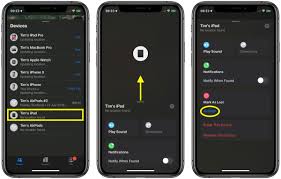
This helps others know it’s stolen:
- Apple: Mark as “Lost Mode”
- Android: Mark as “Lost” on Google Find My Device
If someone finds it and tries to return it, they’ll see your contact message.
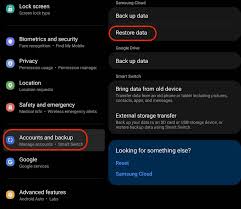
8. Backup & Erase Your Phone (If Not Recovered)

Still can’t get your phone back?
- Backup your data (photos, contacts, messages) using your cloud storage if it’s synced.
- Then erase the phone remotely to protect your information.
9. Take Preventive Steps for Next Time
- Always use a secure lock screen (PIN, fingerprint, Face ID)
- Enable Find My Device / iCloud Find My iPhone
- Avoid storing passwords in plain text
- Install antivirus or anti-theft apps like Lookout or Avast Mobile Security
Final Thoughts
In 2025, smartphones are more than gadgets—they’re our wallets, offices, and lifelines. If your phone gets stolen, your reaction time and preparedness can make all the difference.
By following these smart, effective, and fast steps, you’ll reduce the risk of data loss, fraud, and identity theft. Stay alert, stay secure, and don’t forget to always keep your device protected with strong security settings.



Leave a Comment
Your email address will not be published. Required fields are marked *