



In today’s fast-paced digital world, a long-lasting phone battery isn’t a luxury — it’s a necessity. Whether you’re a student, entrepreneur, content creator, or remote worker, your smartphone is your daily companion. Yet many users unknowingly reduce their battery lifespan with poor habits.
In this guide, you’ll learn proven, expert-backed tips to boost your battery performance, extend longevity, and make your device work smarter — not harder.
🔋 Why Battery Life Matters More Than Ever in 2025
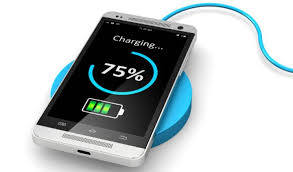
With increasing app usage, faster processors, and high-refresh-rate screens, smartphones consume more power than ever. While tech brands like Xiaomi, Samsung, Tecno, and Apple are improving battery capacity, smart usage remains the key to long-term performance.
✅ Top 10 Proven Tips to Maximize Your Phone’s Battery Life
1. Enable Battery Saver Mode
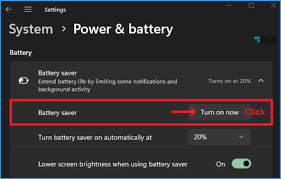
Most Android and iOS phones now come with built-in battery saver or low-power modes. Turn it on when battery drops below 30%, or set it to activate automatically.
📱 Tip: On Android, go to Settings → Battery → Battery Saver.
2. Lower Screen Brightness or Enable Adaptive Brightness
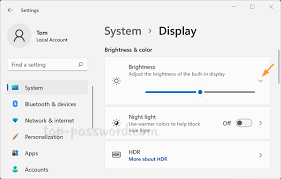
The screen is your phone’s biggest power drain. Lower brightness manually or let your phone adapt to ambient light automatically.
3. Limit Background App Activity
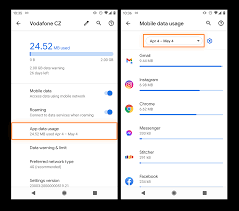
Apps like Facebook, WhatsApp, and Instagram often run in the background, using data and battery.
🛠️ Settings → Apps → Select App → Battery → Restrict background activity.
4. Uninstall or Disable Unused Apps

If you haven’t used an app in over a month, chances are you don’t need it. Remove clutter to improve both performance and battery usage.
5. Use Dark Mode (Especially on OLED Screens)
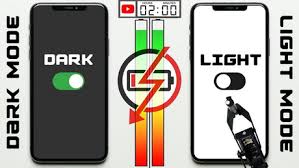
Phones with OLED or AMOLED displays (like the Samsung Galaxy or Redmi Note 13) use less power when displaying black pixels.
🌙 Enable Dark Mode via Settings or Quick Panel.
6. Turn Off Location, Bluetooth & Wi-Fi When Not in Use
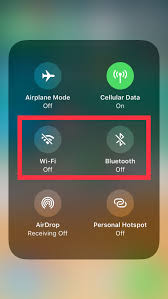
Background GPS tracking, idle Bluetooth, or Wi-Fi scanning can drain power even when your phone is idle.
7. Avoid Extreme Temperatures

Battery performance drops in very hot or cold environments. Keep your phone between 20°C and 35°C for optimal health.
8. Avoid 0% and 100% Charge Cycles
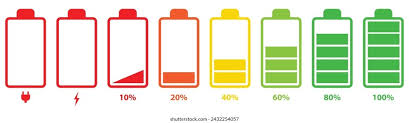
Frequently draining your phone to 0% or overcharging to 100% shortens battery lifespan. Keep it between 20–85%.
9. Use Original Chargers and Cables
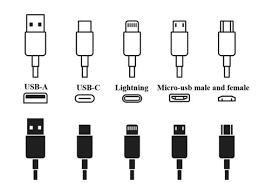
Fake or low-quality chargers can damage your battery and pose safety risks. Always use certified or original accessories.
🔌 Ukamart Global stocks 100% original charging accessories.
10. Update Your Phone Regularly

Manufacturers often release battery optimization updates. Keep your system updated for better performance and power management.
📊 Bonus: Apps That Help Monitor Battery Usage
- AccuBattery
- GSam Battery Monitor
- Greenify (for rooted phones)
These apps help track which apps consume the most battery and offer usage insights.
🚫 Common Battery Myths — Busted
| Myth | Reality |
|---|---|
| Closing apps saves battery | Not always. It may cause the phone to relaunch them, using more power. |
| Charging overnight kills battery | Modern phones stop charging at 100%, but heat buildup can still reduce lifespan. |
| More RAM = better battery | More RAM helps multitasking but doesn’t always improve battery life. |
📌 Final Thoughts: Keep Your Phone Running Longer, Smarter
With these expert tips, you can extend your phone’s battery life, reduce frustration, and enjoy better daily performance. Remember, a few small adjustments make a big impact over time.
💬 Got more battery tips or questions? Drop them in the comments below or reach out to Ukamart Support — we’re happy to help you power through your day.
watch this vido
stay tuned for more update.
📢 Don’t Forget to Share This Post
If this helped you, share it with friends and family — they’ll thank you later!



Leave a Comment
Your email address will not be published. Required fields are marked *